Walk-up song DJ for your team
Every batter gets their moment.
One phone, streaming to the speaker. Walkups fires each player’s song right at the drop, keeps the lineup moving, and flips to field music when your team takes the field.
Free on iPhone · Plays through your Apple Music subscription*
 ThunderstruckAC/DCSTARTS 0:31
 LevitatingDua LipaSTARTS 0:23
 SiriusThe Alan Parsons ProjectSTARTS 1:05
 Titanium (feat. Sia)David GuettaSTARTS 0:42
 Mr. BrightsideThe KillersSTARTS 0:42
 Run the World (Girls)BeyoncéSTARTS 0:12
 Welcome to the JungleGuns N' RosesSTARTS 0:24
 Dog Days Are OverFlorence + The MachineSTARTS 0:33
 Remember the NameFort MinorSTARTS 0:40
 The Boys Are Back in TownThin LizzySTARTS 0:20
 Danza KuduroDon OmarSTARTS 0:15
 Can't Hold UsMacklemore & Ryan LewisSTARTS 0:58
How it works
Three steps from the dugout to the plate.
Build the roster
Add your players, then give everyone a walk-up. Search the full Apple Music catalog right in the app and set the exact second the song should kick in.
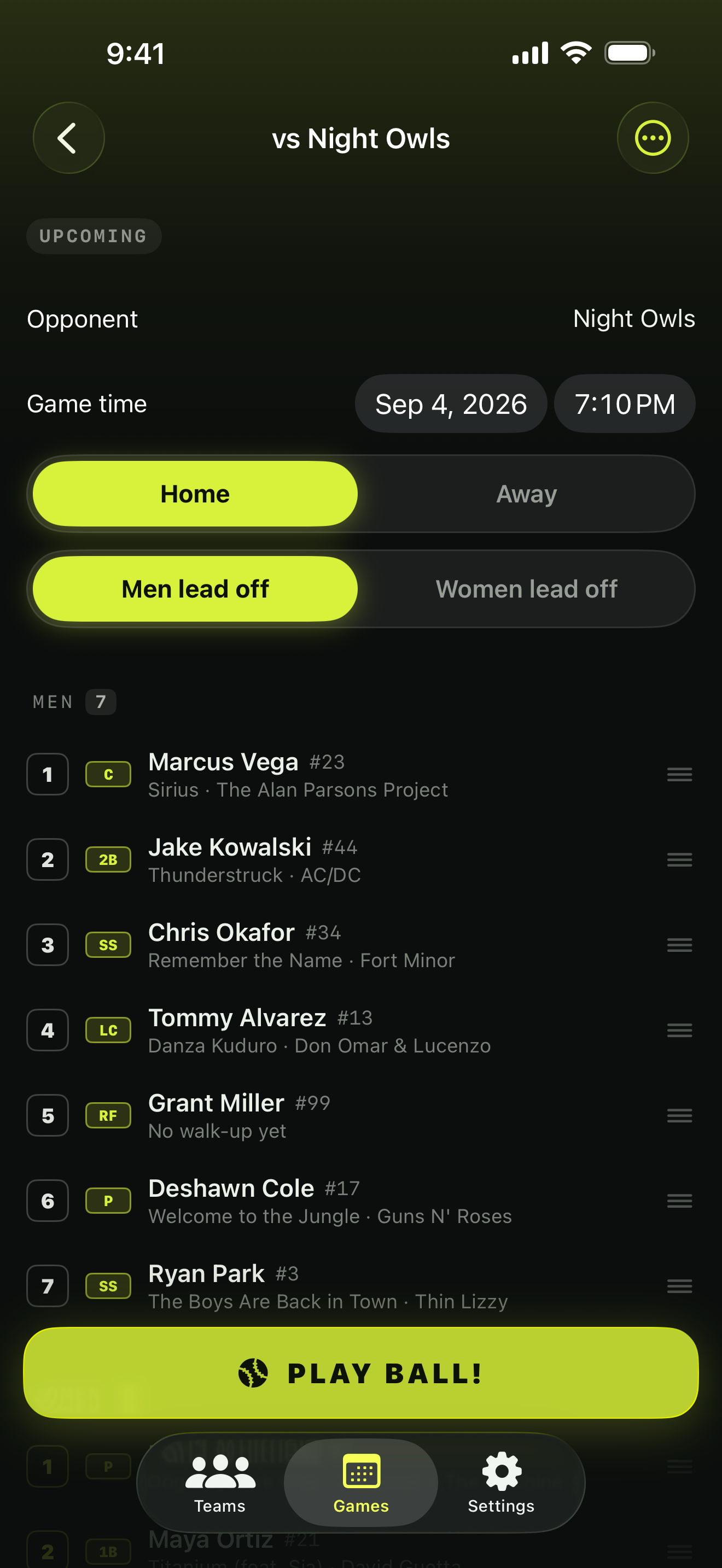
Set tonight's lineup
Check in who's playing and drag the order. Co-ed leagues alternate two rotations automatically. New games start from last week's lineup.
Play ball
Open Game Time and stream to the speaker over Bluetooth or AirPlay. Tap play as each batter walks up, keep score, flip innings, and let field music take over on defense.
At the field
A game screen built for gloves and sunlight.
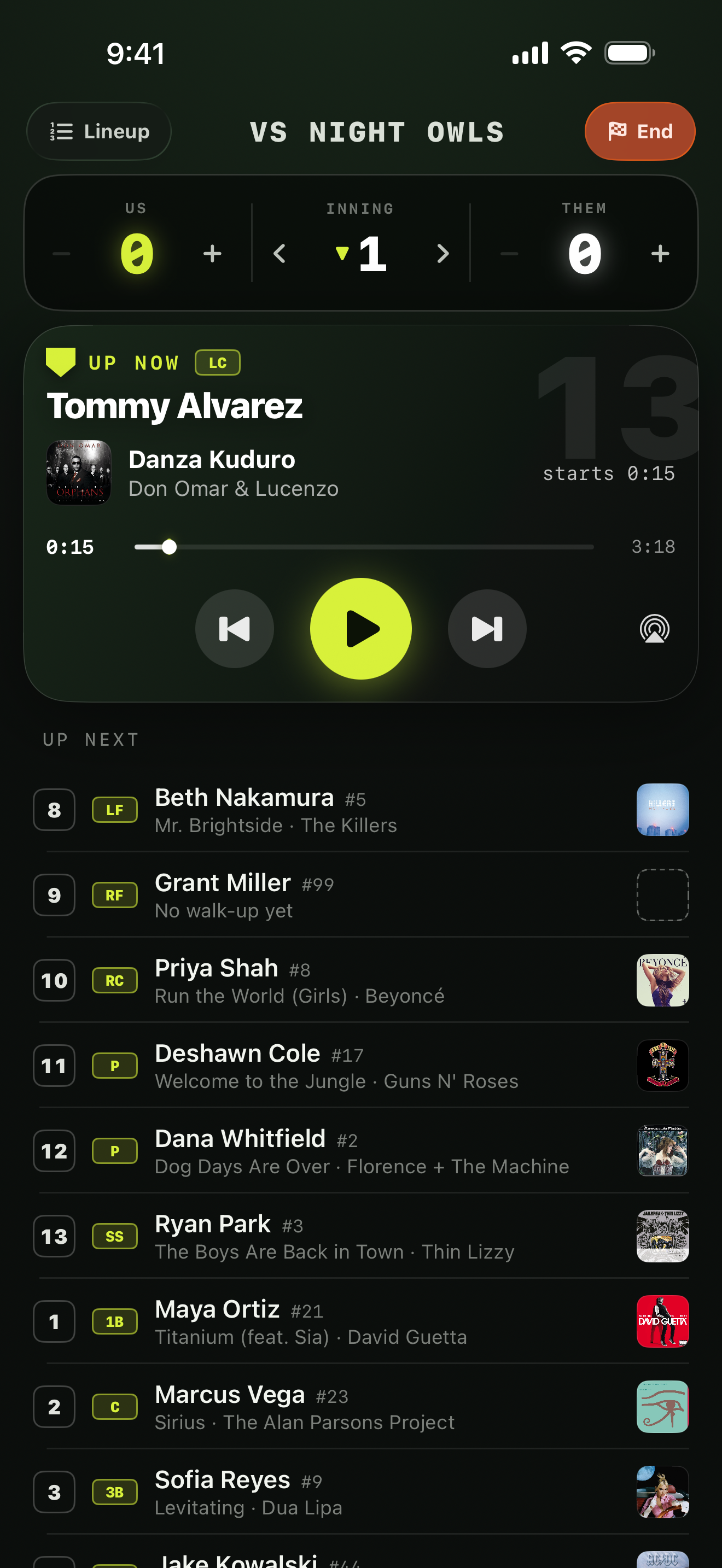
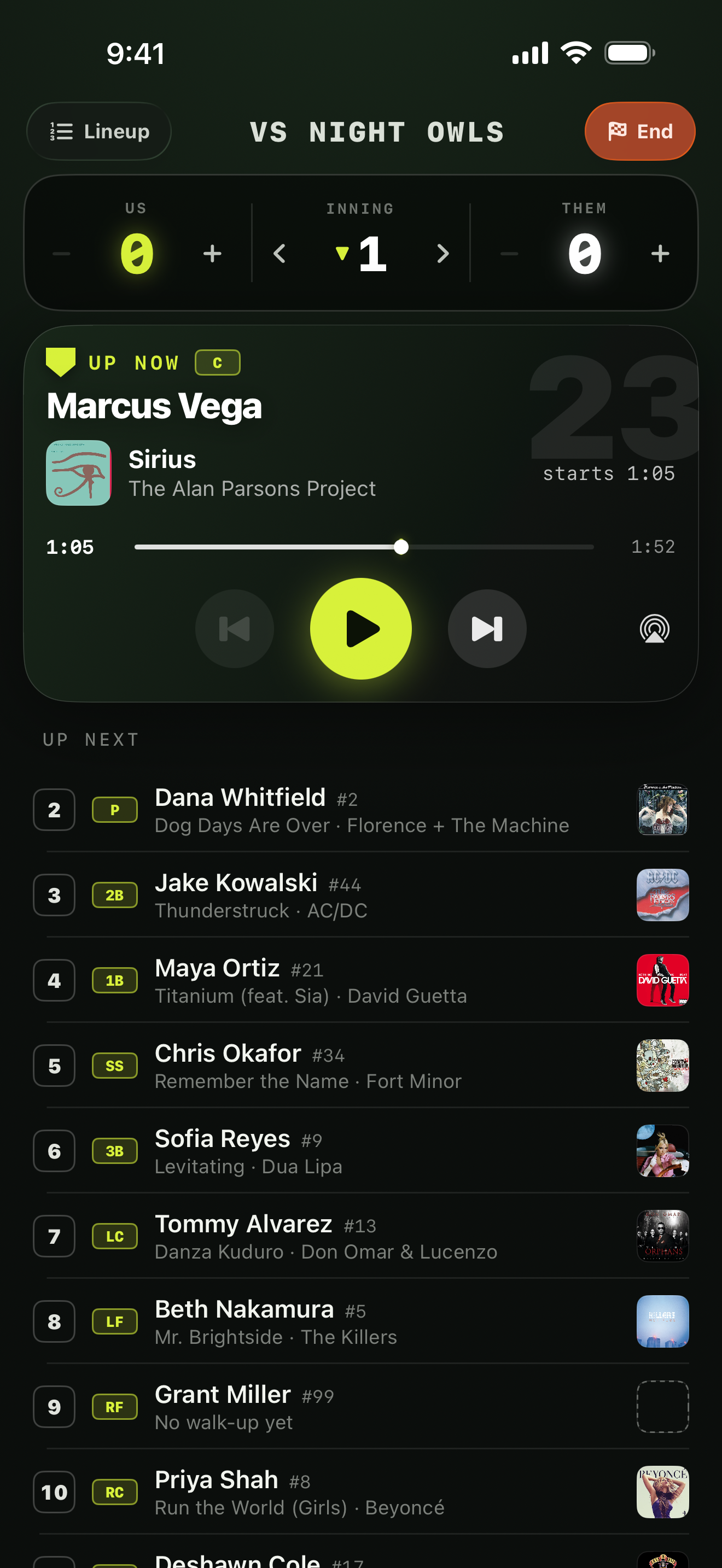
Game Time
Up now. Up next. One big play button.
The current batter sits up top with their song and transport; the rest of the order queues below. Previous and next walk the lineup, and tapping anyone in Up Next jumps straight to them — the music follows.
Scorebug
Keep score without leaving the screen.
Runs, inning, and top or bottom live right on the scorebug. A Live Activity mirrors it to the Lock Screen and Dynamic Island, so the dugout can follow along from any pocket.
Defense
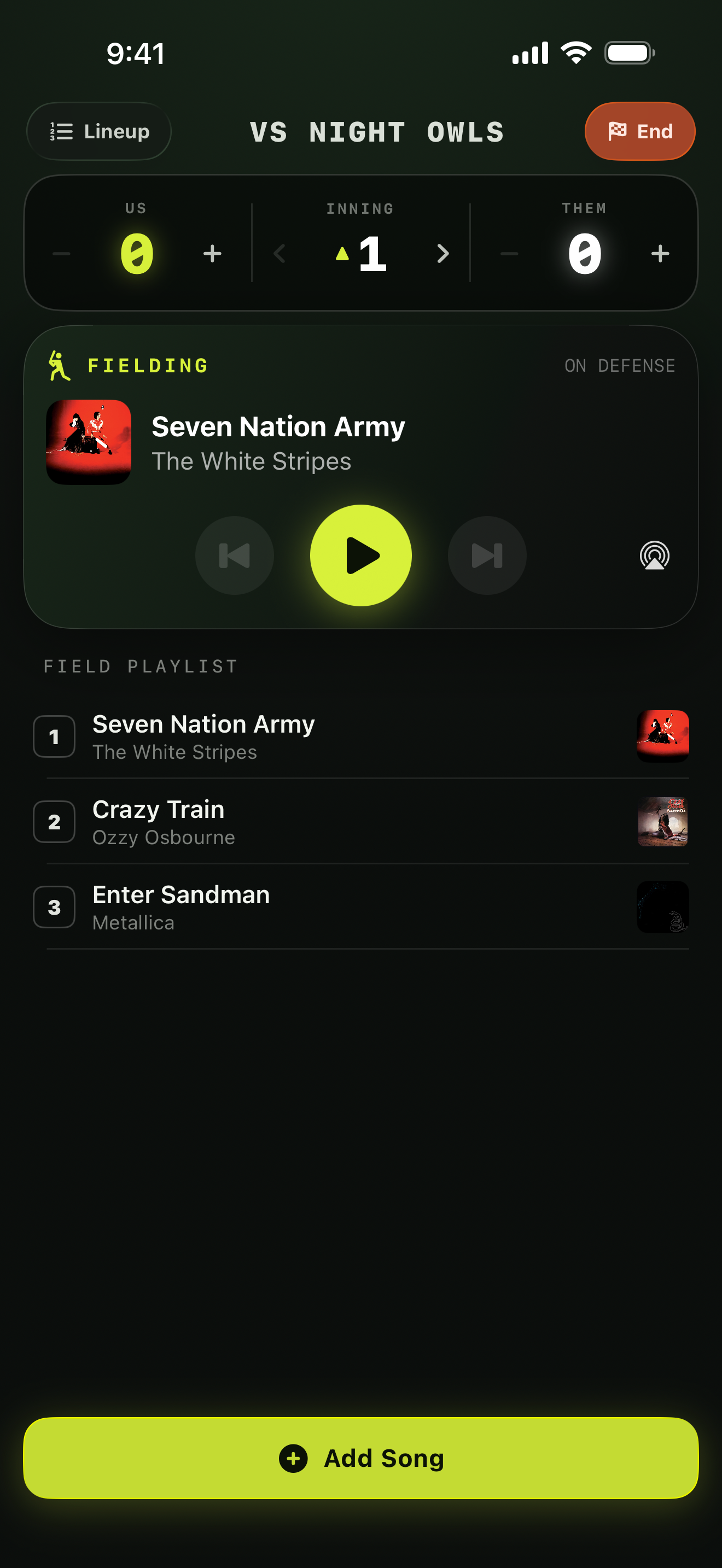
Take the field, the music switches.
Flip to the other half of the inning and Walkups swaps to your field playlist. It picks up at the next song every inning, so nothing repeats, and comes back to walk-ups when you're up to bat.
Start point
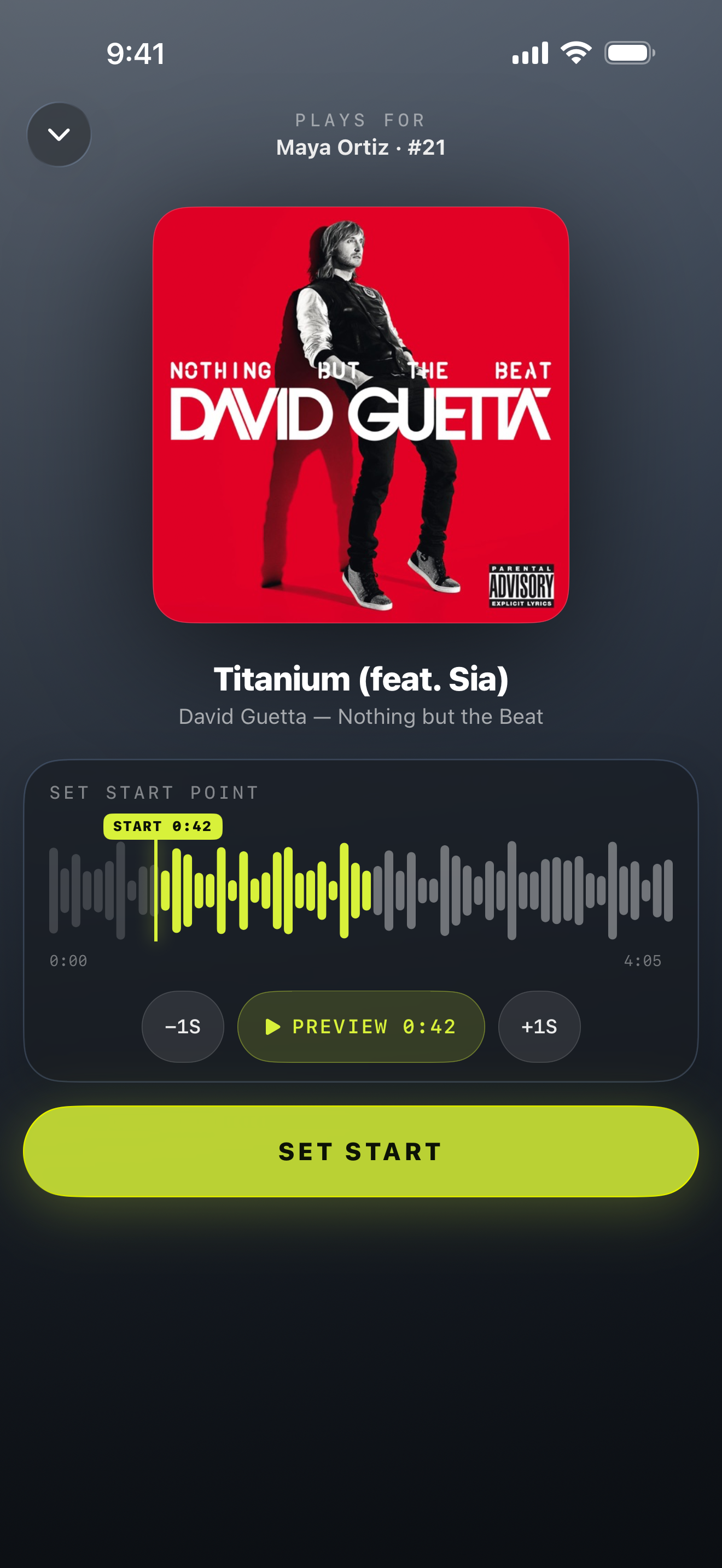
Start at the drop, not the intro.
Nobody wants 0:00. A waveform scrubber sets the exact second each song kicks in, snapped to a tenth of a second. Preview it, nudge it, save it once.
- Fade the song when they step in the box; it resumes there next at-bat
- A small library per player with one active pick, easy to swap week to week
- Explicit tracks clearly badged for leagues that require clean edits

Titanium (feat. Sia)
David Guetta — Nothing But the Beat
Us
6
Inning
▲3
Them
4
 ThunderstruckAC/DC · Kowalski walks upAt bat
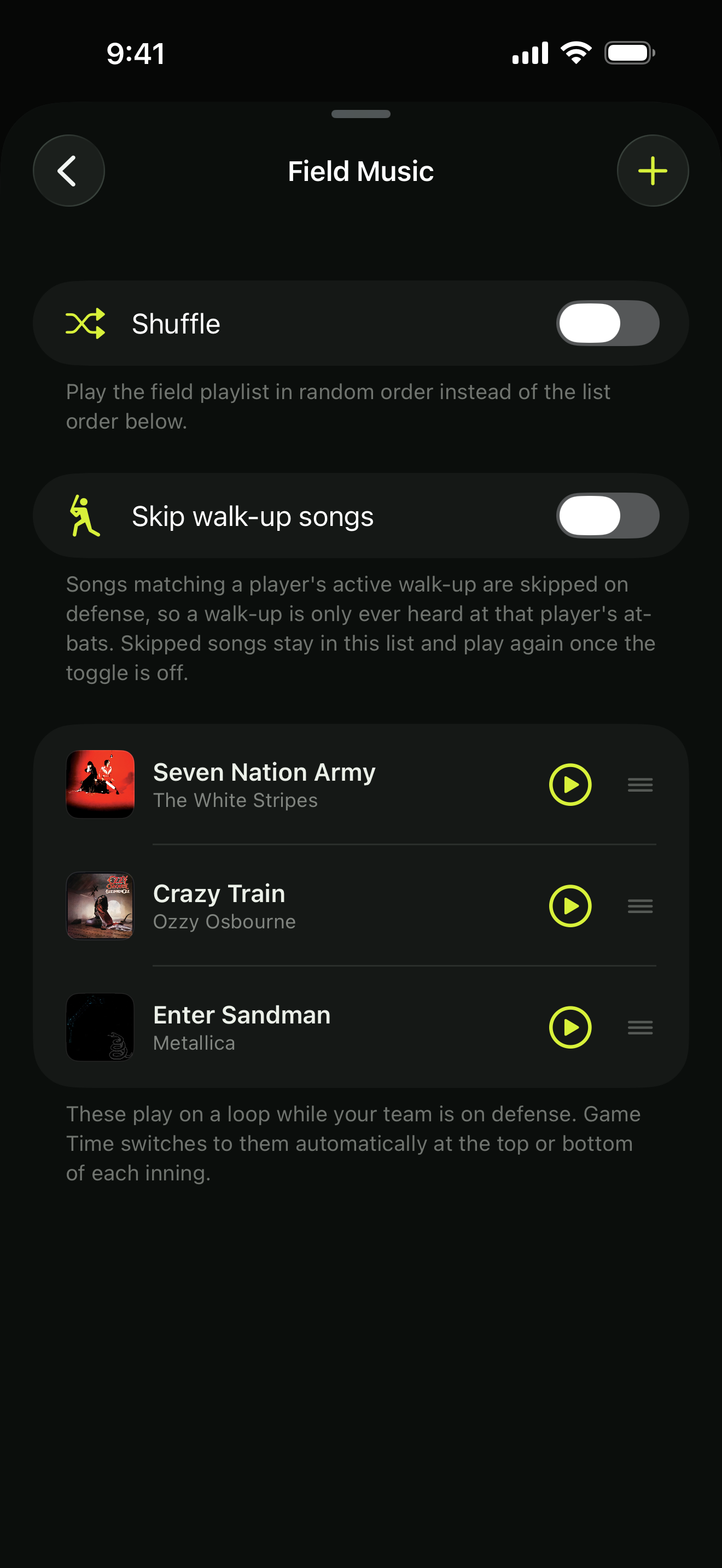
Field music
A playlist for the other half of the inning.
Build a field playlist from search, or import a public Apple Music playlist by link. When you take the field, Walkups switches over on its own and picks up at the next song each inning.
- Knows whether you're home or away, so the flip lands on the right half
- Skips walk-up songs automatically so nobody's entrance gets burned on defense
- Shuffle when you want it; previous and next when you don't
Teams & lineups
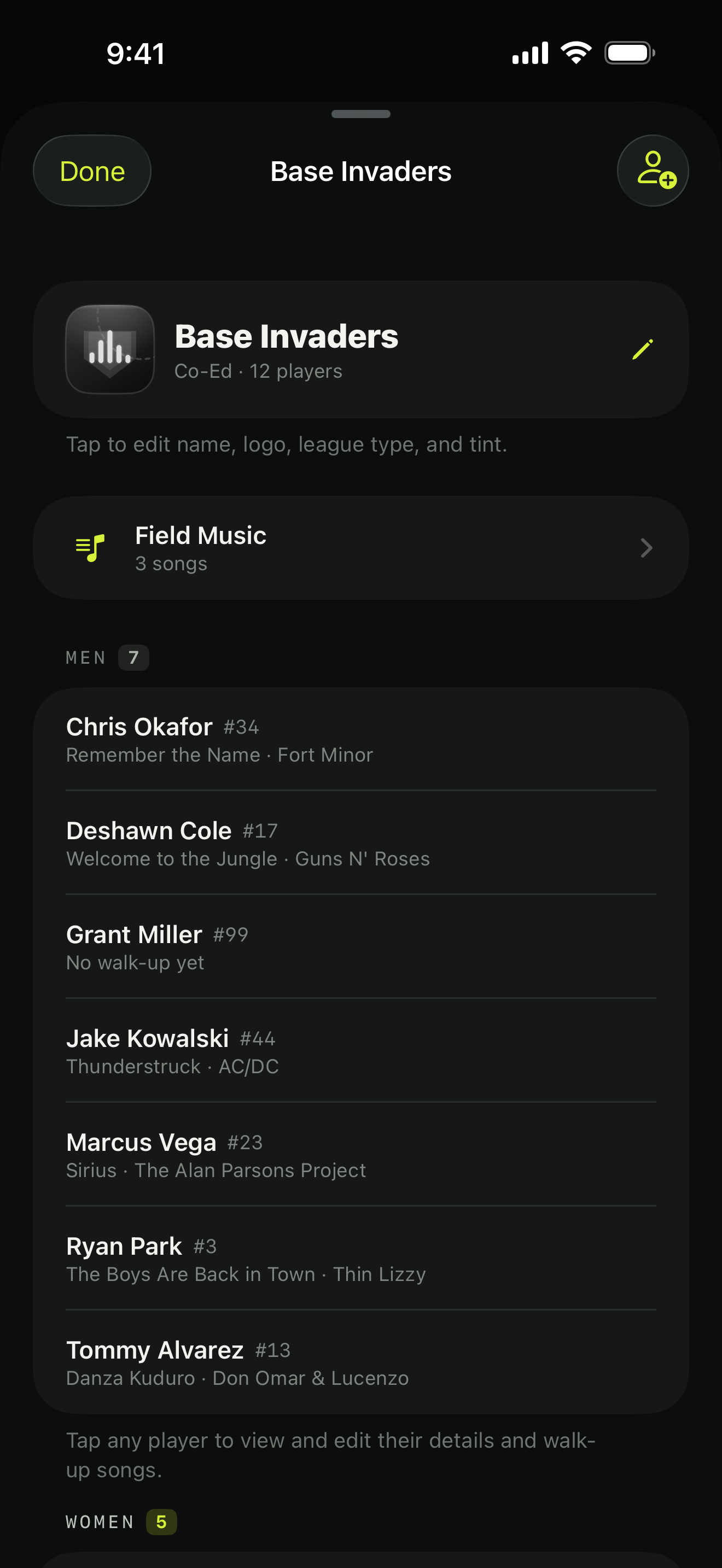
Every team you run, in one app.
Keep as many teams as you manage, each with its own roster, logo, tint, games, and field music. Set the lineup in seconds and start a game from last week’s order.
- Co-ed, men's, or women's leagues; co-ed alternates two rotations automatically
- Softball positions for every player, adjustable per game
- Share a team with an invite link — owners, managers, and players each get the right controls
- Add players straight from Contacts, with nicknames for game day
In motion
A half-inning in thirty seconds.
Start the game, walk the order, jump to a batter, flip to defense. This is the whole job on game night.
Made for the field
Built for a phone on a fence post.
Plays over the silent switch
Ring/silent doesn't matter. Audio always goes out.
Bluetooth and AirPlay
Routes to the field speaker, with an AirPlay picker built into Game Time.
Live Activity scorebug
Score, inning, and who's up on the Lock Screen and Dynamic Island.
Built on Apple Music
Plays through your own subscription. Full catalog search in the app.
Clean-edit friendly
Explicit tracks are badged in search so league rules are easy to follow.
Works with bad signal
Download the team's songs in your music app and they play offline.
FAQ
Questions from the dugout.
Do I need Apple Music?
Yes. Walkups plays through your own Apple Music subscription and never simulates audio. You need an active subscription and Media & Apple Music access granted to the app. The app tells you exactly which piece is missing.
Will it work with a Bluetooth speaker?
Yes. Pair the speaker with the phone as usual; Walkups plays over the ring/silent switch and routes to whatever the phone is connected to. Game Time also has an AirPlay picker.
What about bad cell signal at the park?
Download the team's songs in the Apple Music app before you go. Downloaded songs play offline.
How do co-ed alternating lineups work?
A co-ed team keeps separate men's and women's rotations and merges them into one batting order automatically. The shorter side wraps first, marked as a second pass, and you can flip which side leads off.
Can players pick their own walk-up?
Share the team with an invite link. Owners and managers run the roster, games, and lineup; a player who joins can manage their own song and start point.
How much does it cost?
Walkups is free, with no ads. You bring the Apple Music subscription.
Press play. You’re the DJ now.
Free on iPhone. Set the lineup, stream to the speaker, and give every batter their moment.
